
I bought this with my own money. Every product here did weeks of my workdays before I scored it. If you buy through a link on this page, I may earn a commission. How I test
How I used it
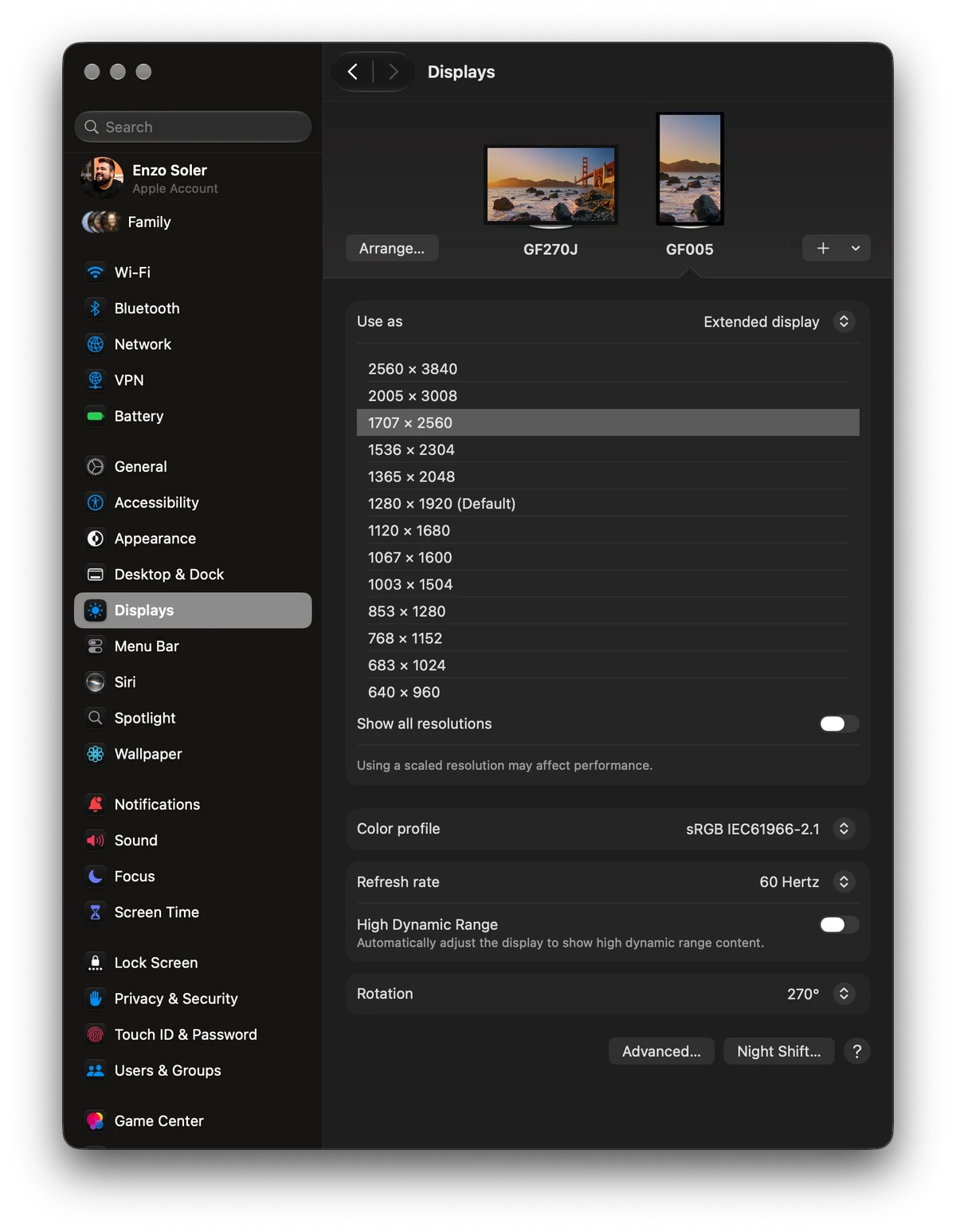
I bought the GF005 myself, at the same time I was setting up my new main monitor, the Gawfolk GF270J. This one runs vertical on my desk, rotated into portrait, as the second screen for Slack, email, and sometimes a YouTube video. It's on about 15 hours a day because my whole desk is.
I went looking for this shape on purpose. The GF005 is a 3:2 panel, 3840 x 2560 instead of the standard 16:9, and I wanted something squarer for documents and chat. On paper, a cheap 4K 3:2 monitor in portrait is a great second screen. That's the pitch I bought.
The connection problem
This is the reason for the score, so it comes first.
What happens. Very frequently, my Mac doesn’t recognize the GF005.
What brings it back. I pull the DisplayPort cable, plug it back in, and switch inputs on the monitor. Then the Mac sees it.
What I tried. It happens with two different cables, both from a brand I trust, so I don’t think the cable is the problem. I updated the monitor’s firmware. I also tried HDMI. Everything above happened on DisplayPort, which is how it stays connected day to day.
How long I saw it. Across the two weeks of this review, on a monitor that’s on about 15 hours a day. I can’t give you an exact count, only that it was very frequent.
A monitor has one job, and this one needs a ritual to do it. Its sibling, the GF270J, sits on the same desk, connected to the same Mac, and had no recognition problem during its own two-week review. Whether your computer sees a cheap monitor every time is the check no spec sheet lists, and it’s the main check in my guide to buying a cheap monitor from a brand you don’t know.
What it gets right
The shape is the reason to consider it. In portrait, a 3:2 panel gives you a tall screen that fits a full email thread or a long Slack conversation without feeling like a narrow strip. No mainstream brand sells this shape at this price. The panel is about 15.5 inches tall, about the height of a 32-inch 16:9 screen, on roughly the width of a 27. The math is in my 27-inch or 32-inch guide, and my two-monitor MacBook guide covers when a vertical second screen is worth it.
And to be fair to it, when it’s connected and running, it does the second-screen job. Slack and email have lived on it all day, every day, for two weeks.
That’s the list.
What could be better
- The screen loses to its cheaper sibling. Next to my Gawfolk GF270J, this panel is dimmer and the image is not as crisp. It’s also 60Hz against the 27’s 160Hz. I knew the refresh rate going in, but the overall image gap surprised me.
- The squareness undersells itself. 3:2 is the reason I bought it, and in practice it doesn’t feel very square at all. If you’re imagining something dramatically different from a normal monitor, temper that.
How it compares
This is the rare review where the direct competitor is sitting right next to the product, from the same brand. I own both. The GF270J gives you a brighter, crisper 4K image at 160Hz and was flawless across its two-week review. The GF005 gives you an unusual shape, a worse image, and a connection ritual.
At list price the GF005 is the cheaper of the two, about $150 against about $300, though I ended up paying more for it than for the 27. Even at half the price, I’d point you to the 27. Knowing what I know now, I would have just bought two of those. Before buying any Gawfolk, read what its warranty actually covers. The full head-to-head, with both spec sheets side by side, is in Gawfolk GF270J vs GF005.
Specs
These are the maker's published figures unless a line says it comes from my own use.
- Panel
- 28-inch IPS, 3840 x 2560
- Aspect ratio
- 3:2
- Refresh rate
- 60Hz
- Ports
- DisplayPort 1.4, HDMI 2.0
Final verdict
I don't recommend this monitor to anybody, unless you find it at a huge discount and specifically want a cheap portrait screen for docs and chat, with the habits I described.
I still use it every day, honestly because I bought it. When I upgrade, this one goes to my mother, who doesn't expect as much from things as I do. That's the most accurate review score I can give it.
If you want a Gawfolk, buy the GF270J. That one earned its recommendation. This one is the reason I check twice before trusting a spec sheet from a brand I otherwise like.


